A lead generation chatbot with a person behind it
txt.me works as a lead generation chatbot that knows when to step aside. The AI agent greets visitors, asks your qualifying questions and collects contact details on the channel each person prefers, then hands the conversation to someone on your sales team while the visitor is still interested.
Why most website visitors leave without a trace
Think about how people shop for a service. A facilities manager in Denver opens three HVAC maintenance websites on her lunch break, reads the pricing pages, and closes the tabs when her next meeting starts. Two of those businesses never learn she was there. The third had a chat that asked, after 30 seconds on the pricing page, whether she wanted a quote for a building her size. She typed her email with one hand.
A contact form waits for the visitor to decide. A lead generation chatbot asks the question at the moment the visitor is thinking about it. The catch is that a bot alone often stops being helpful just as the buyer gets serious, which is why txt.me hands qualified visitors to a person.
A lead generation chatbot that qualifies leads before the first reply
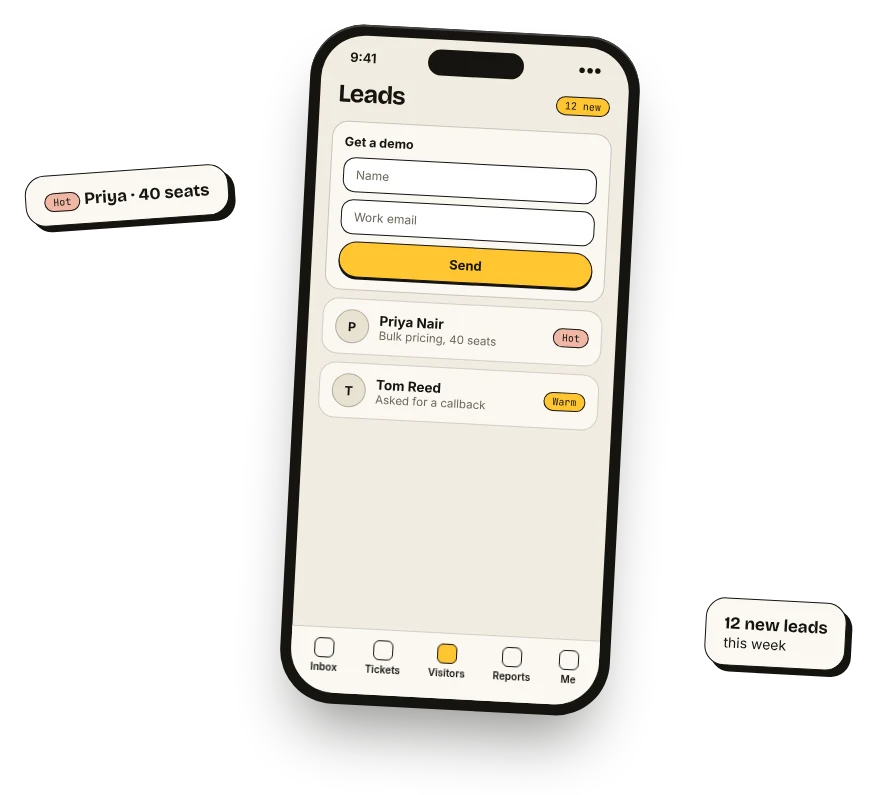
A pre-chat survey is a short form that appears before the conversation starts. You choose the questions, for example company size, budget range or the product someone is interested in. The answers do two jobs: they give you a qualified lead even if the visitor leaves, and they let txt.me send the chat to the agent best suited to answer.
Keep it to two or three fields. Each extra field costs you some visitors, so ask only what you'll use in the first reply.
- Name and email for every lead
- Phone number if you call back
- One qualifying question to route the chat
Four kinds of triggers to start more conversations
Welcome message
A short greeting when a visitor arrives, such as "Hi, can I help you find the right plan?" It shows there's someone there without asking for anything.
Notification trigger
A message tied to a page or a time on page, like a note about free delivery on the cart page after 20 seconds.
Chat rescuer
If a visitor opened the chat but didn't write, or stopped replying, the rescuer sends a follow-up so the conversation doesn't die halfway.
Advanced trigger
Combine conditions such as page URL, visit count, referrer and time on site. Each trigger has a name, an assigned agent and its own message.
You can run several triggers at once and set exactly when each appears. The setup is in how to create and manage triggers, and there are ready-made texts in examples of useful proactive messages.
Let leads choose how you follow up
Some people want an email. Others would rather get a WhatsApp message they can answer on the bus. txt.me can ask visitors which channel they prefer and keep the conversation on it, so the follow-up lands where they'll see it.
If a visitor asks for a phone call, the callback form records the number and the best time to call. You get a phone lead even when every agent is busy.
Export leads to your CRM and mailing list
A lead that stays in the chat tool gets forgotten. You can export contacts with their conversation history, and on the Business plan webhooks and the REST API push every new lead to your CRM or email system the moment it's captured.
Here's a simple way to see what the chat is worth. Say your site gets 4,000 visits a month and 2% of visitors start a chat. That's 4,000 × 0.02 = 80 conversations. If a pre-chat survey captures an email in 60% of them, you get 48 new contacts a month that a static page would have missed. Your own rates will differ, so measure them for a month before and after you add triggers.
Frequently asked questions
What is a lead generation chatbot?
Which contact details can txt.me collect?
Can I send leads to my CRM?
Will triggers annoy my visitors?
Put an AI agent and a real person on your website chat
Start free with one agent and unlimited chats. Add the AI agent, WhatsApp, email and Human Backup operators when you need them.