How to Request a Callback from Your Chat Widget
Some customers prefer a phone call to a chat conversation, but they need a clear way to request a callback. Follow these steps to enable phone callbacks in your txt.me widget, publish the setting, and check that visitors can leave their phone number.
Every support is met with the fact that some people like to make phone calls. People want to talk to a living person. There is such an opportunity in the txt.me live chat. To add the chat widget to your website, sign up with txt.me.
If you already have an account, follow these simple steps:
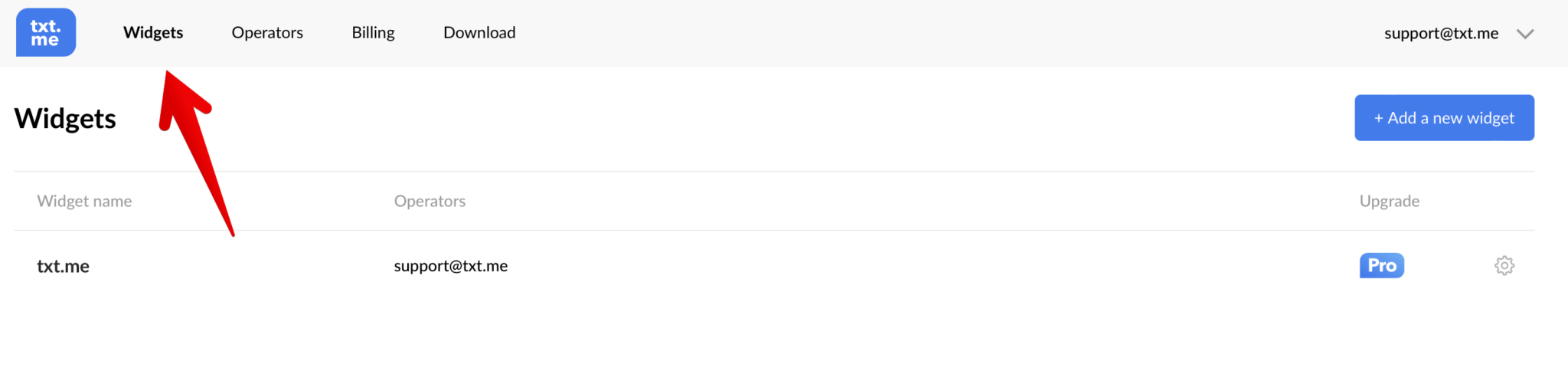
Step 1: Head over to your txt.me dashboard and open the widgets page
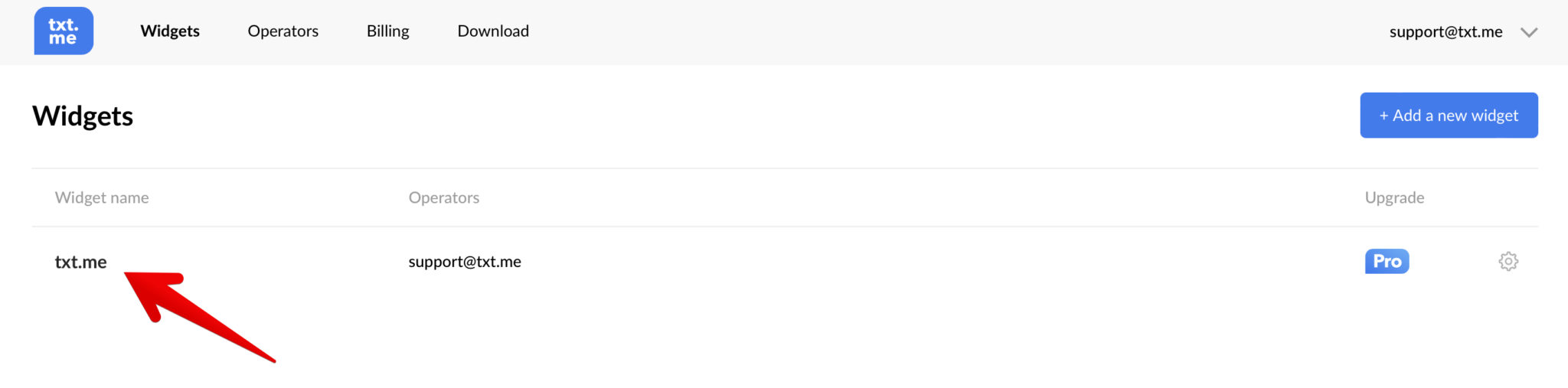
Step 2: Select the widget where visitors can request a callback
If you haven’t created a widget yet, please create it by clicking on the Create Widget button.
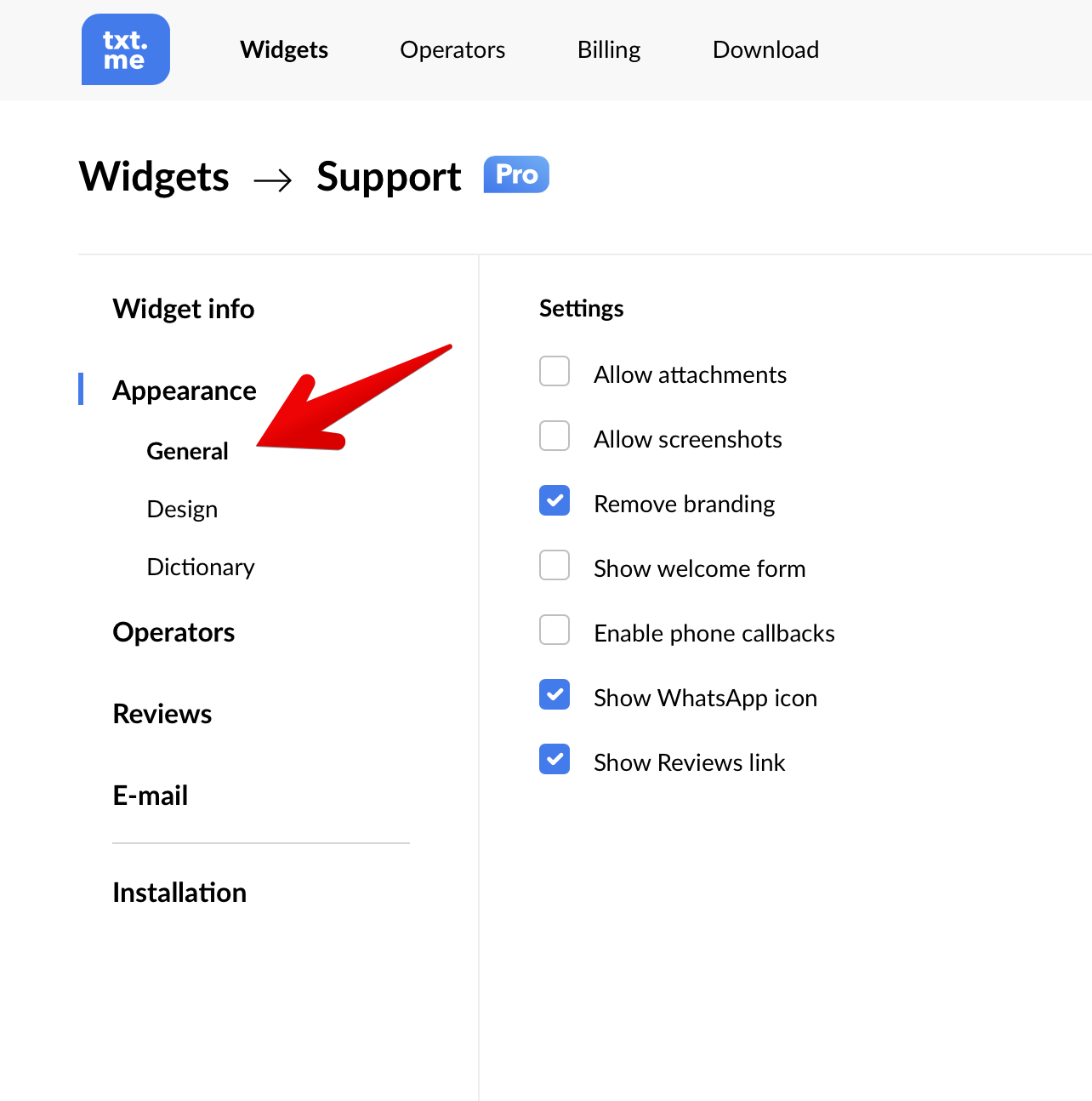
Step 3: Сlick General tab
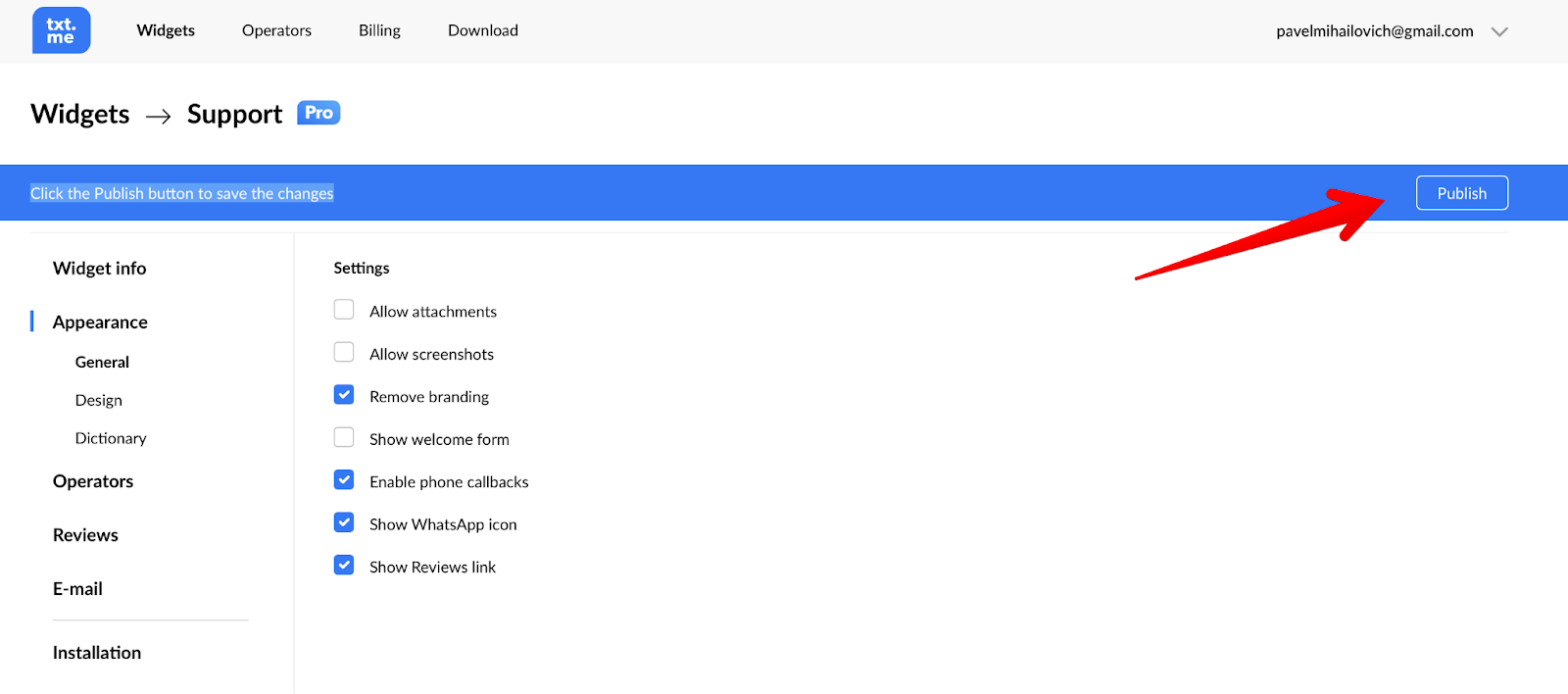
On the Widgets page, open the “Appearance” and click “General” tab.
Step 4: In the checkbox select “Enable phone callbacks”
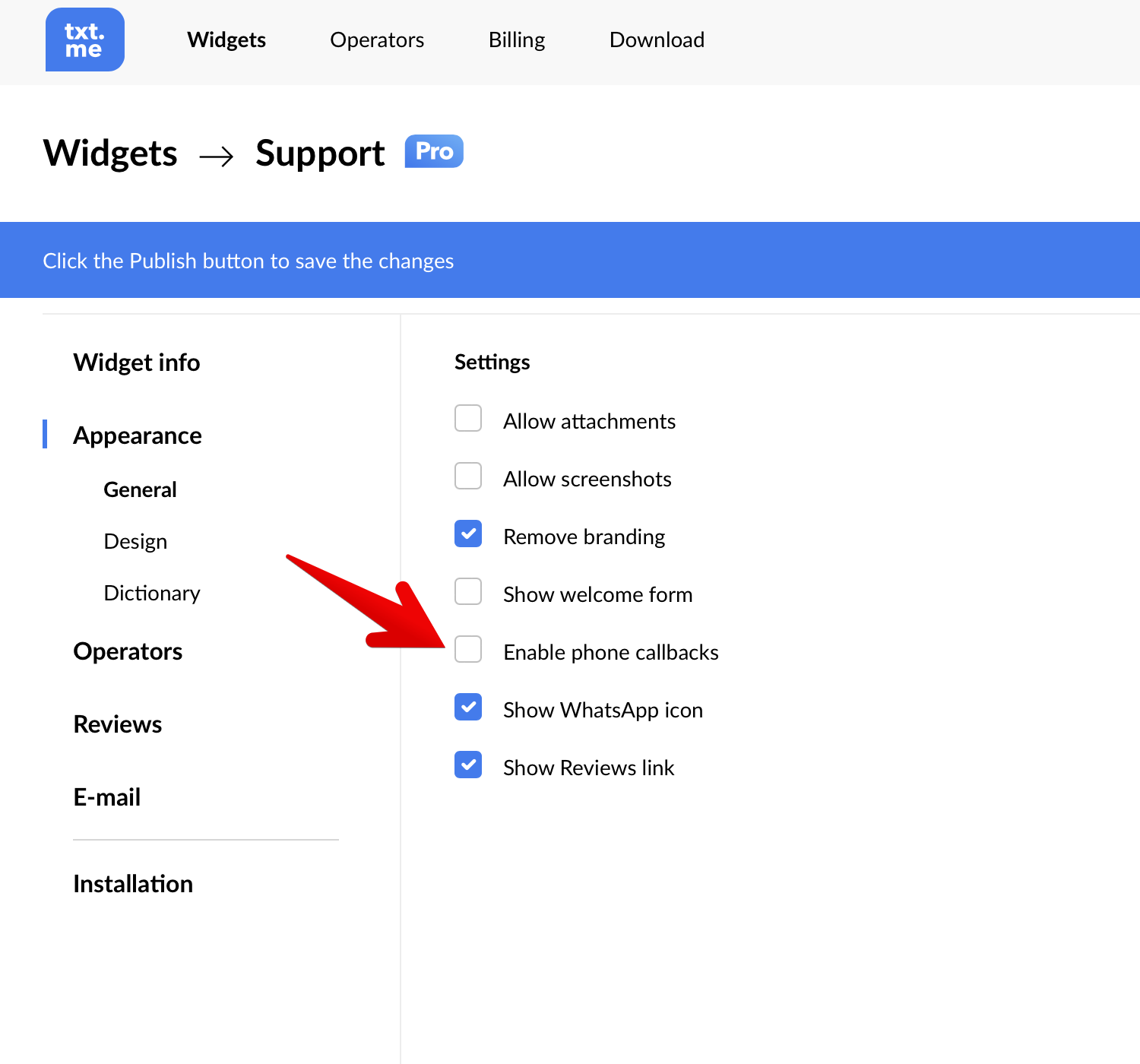
Step 5: Click the Publish button to save the changes
Step 6: How to quickly check to see if the call back is working
To do this, you need to open the site where the chat is located. In the chat widget, you will see the telephone receiver.
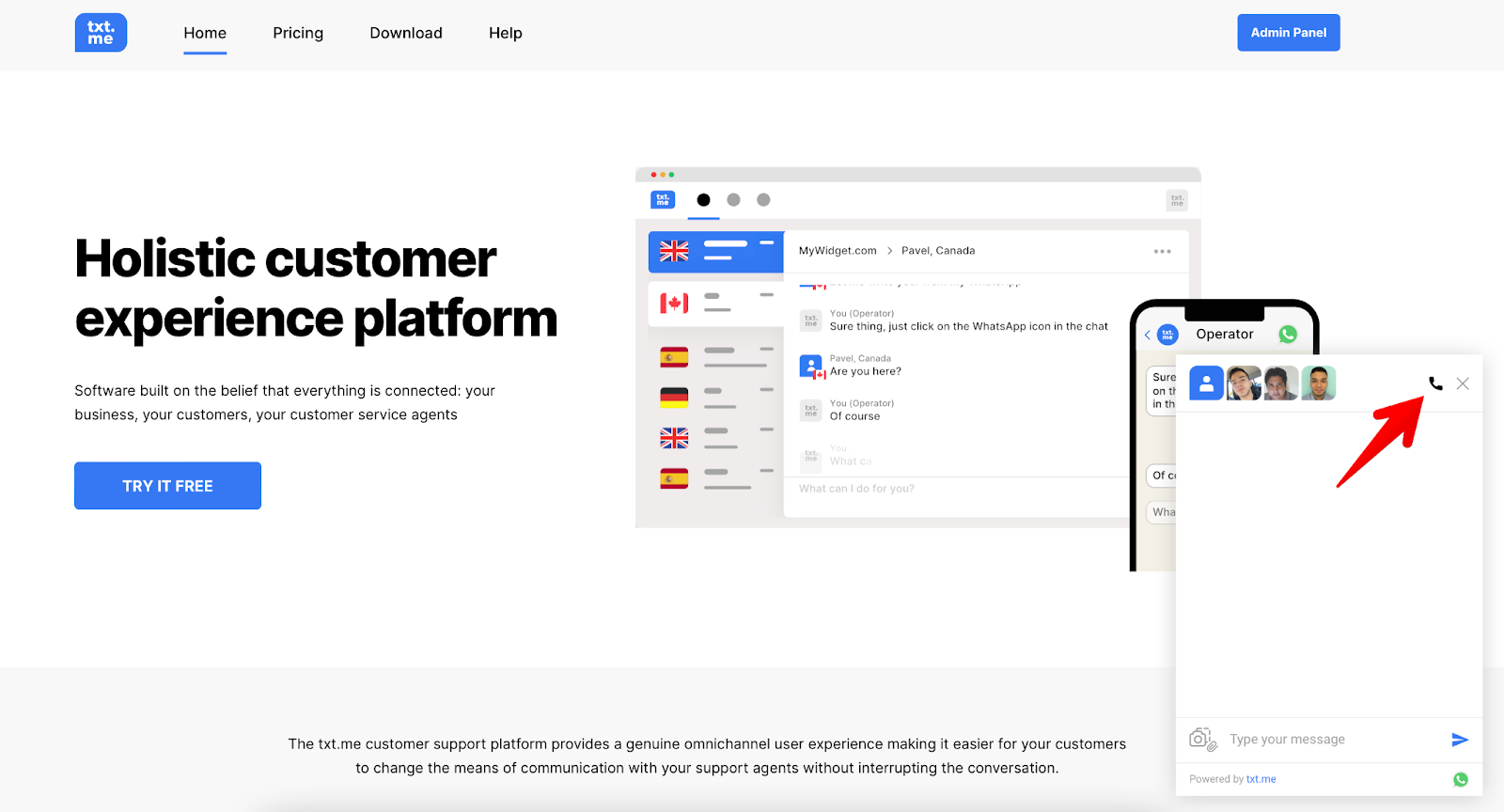
Step 7: Click on the telephone receiver
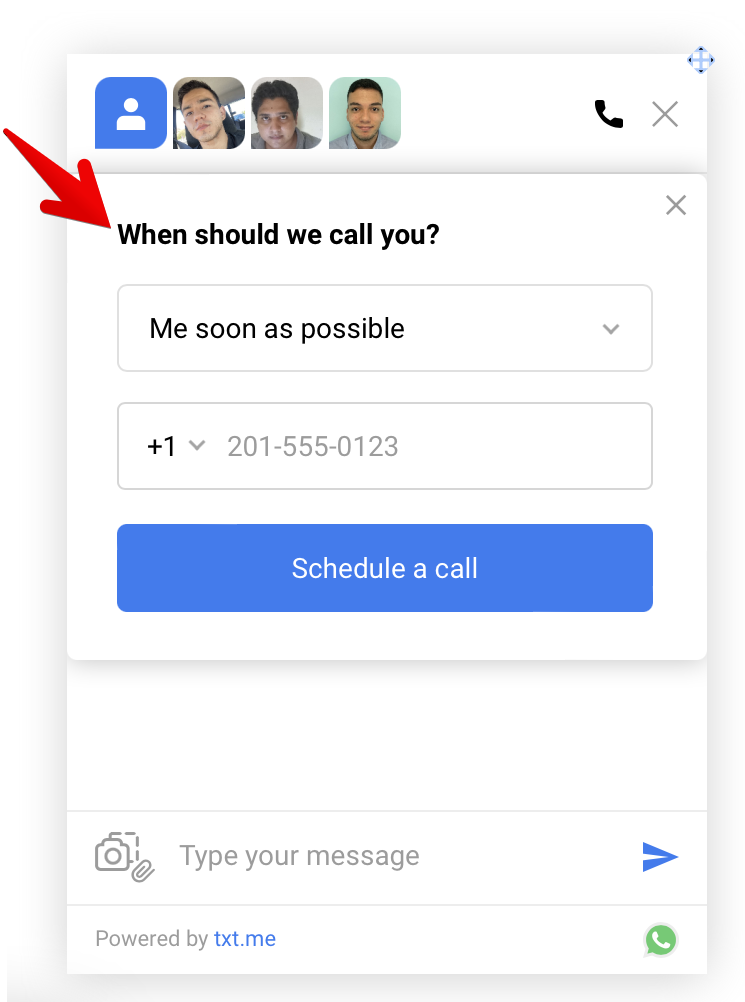
In the field you will see what data the user must leave so that the agent can make a call.
Step 8: Done!
After the user leaves his phone number he will see “Thank you! We’ll give you a call at the specified time.“