How to install txt.me live chat on WiziShop
Need to add live chat to your WiziShop site? This guide shows where to add the txt.me widget script in WiziShop and how to test that visitors can reach you after installation.
To add the chat widget to your website, sign up with txt.me. If you already have an account, follow these simple steps:

Installing txt.me chat on WiziShop
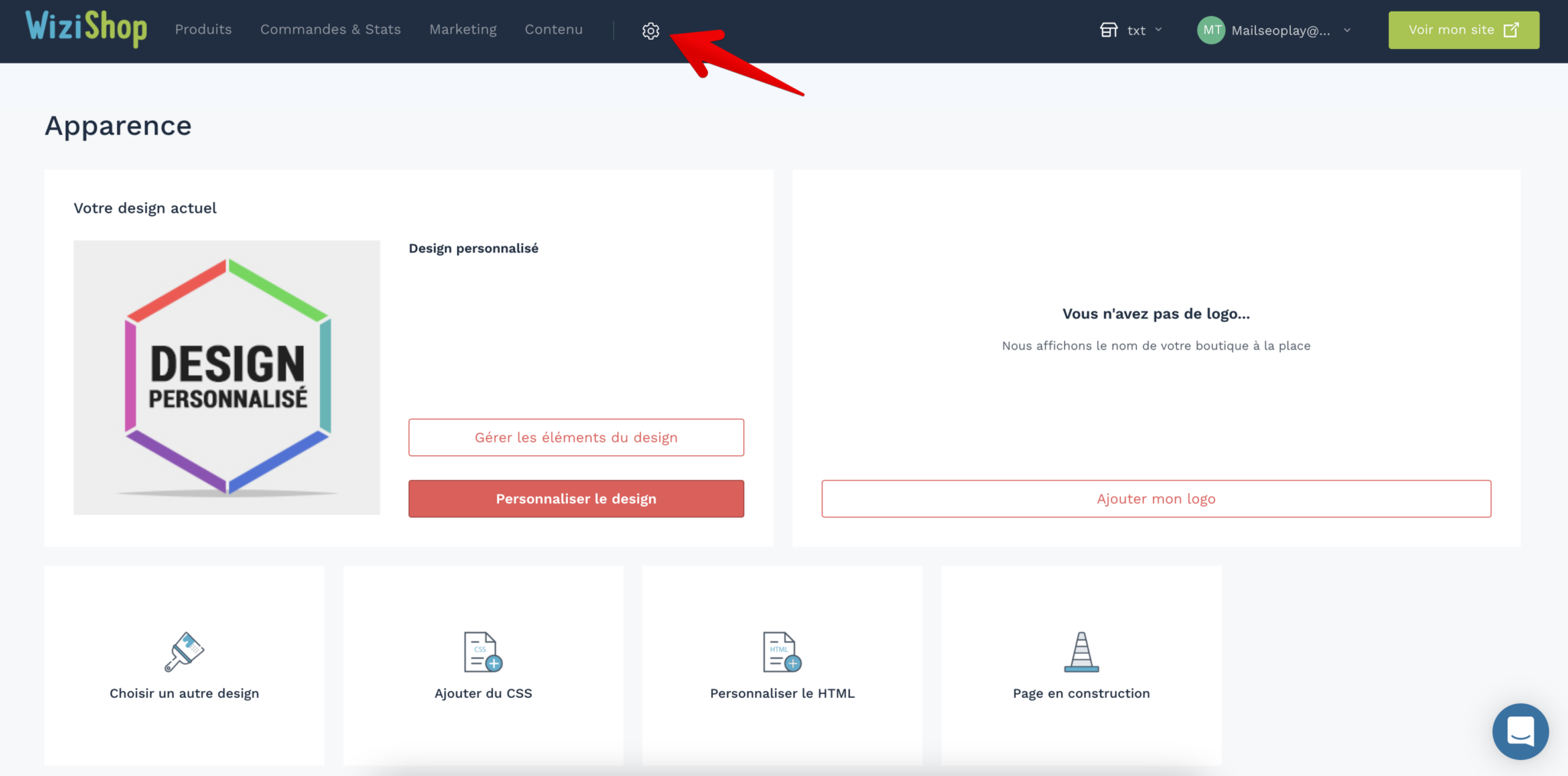
Step 1: Login into WiziShop
In the header, click on the gear
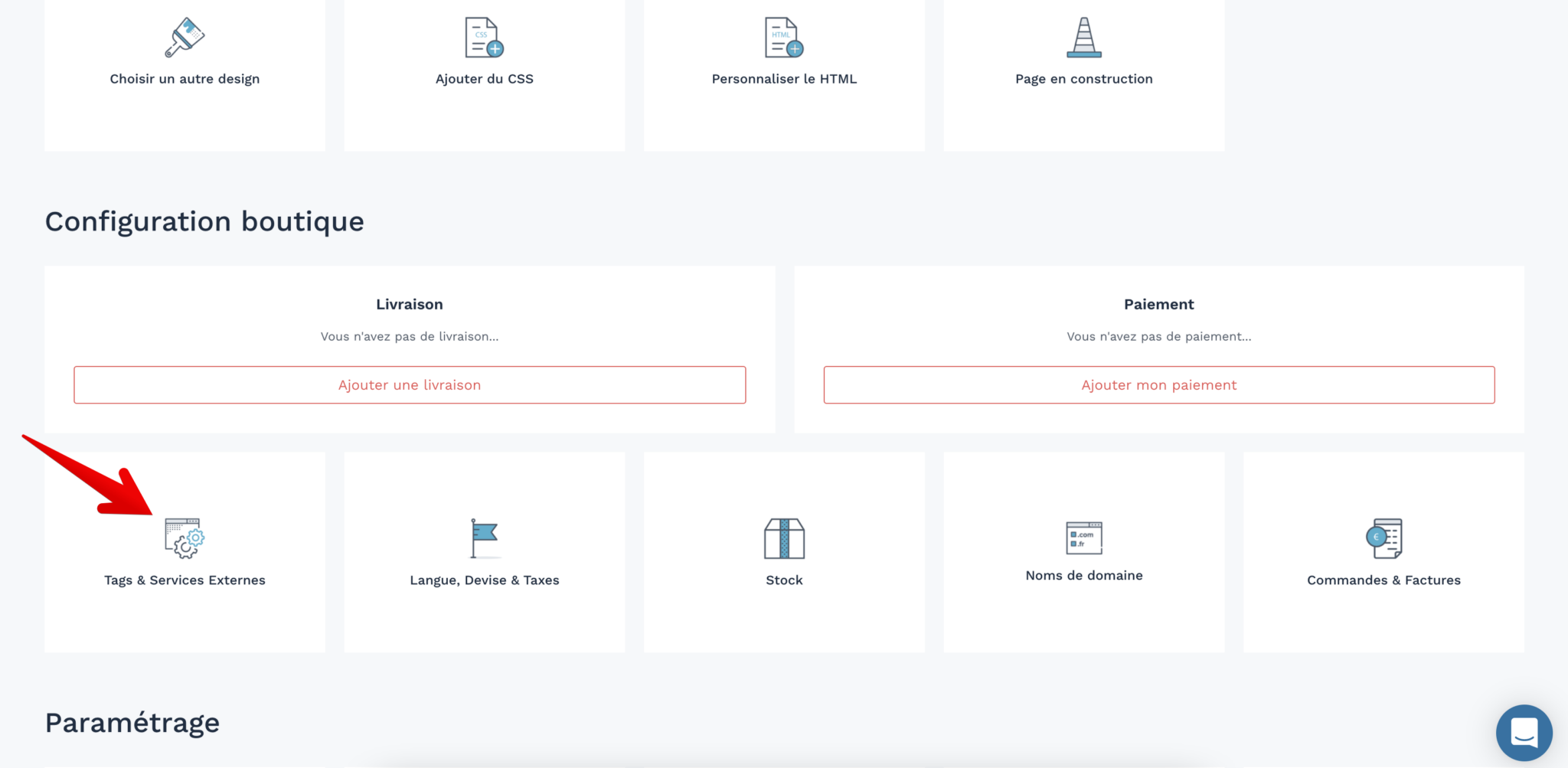
Step 2: Go to Tag & Services Externes
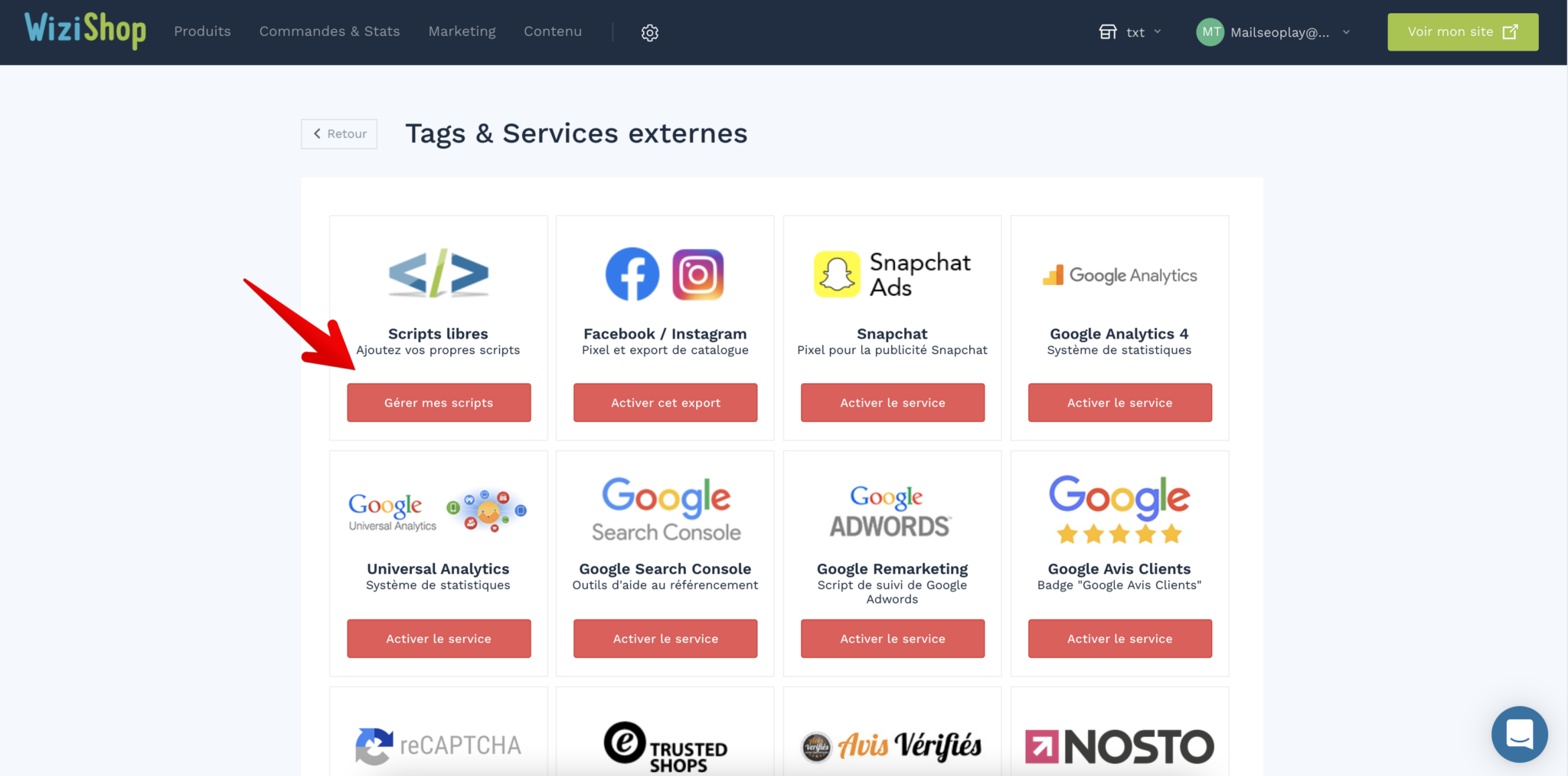
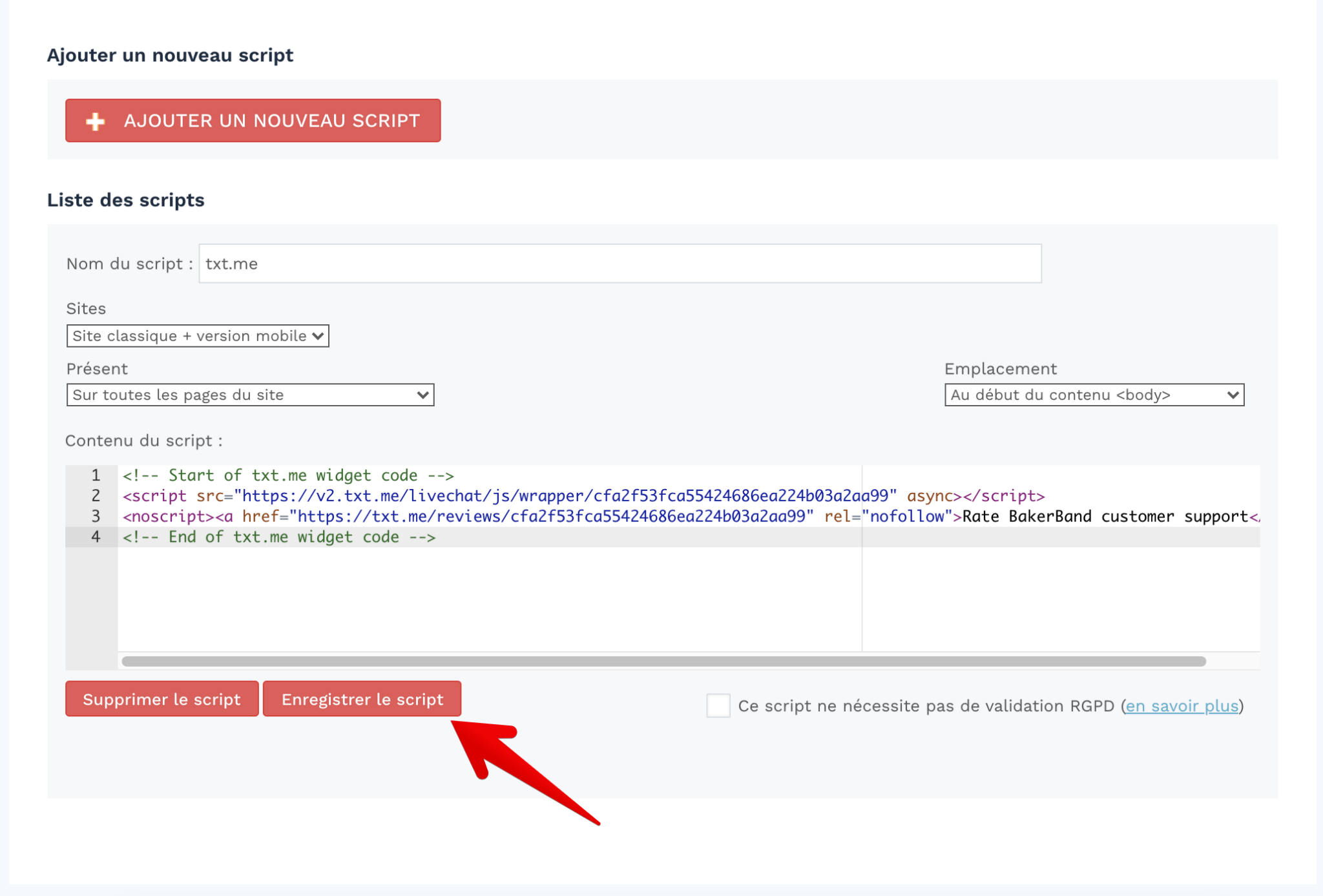
Step 3: On the page find “Scripts libres”
Step 4: Next, you need to select item “<body> “
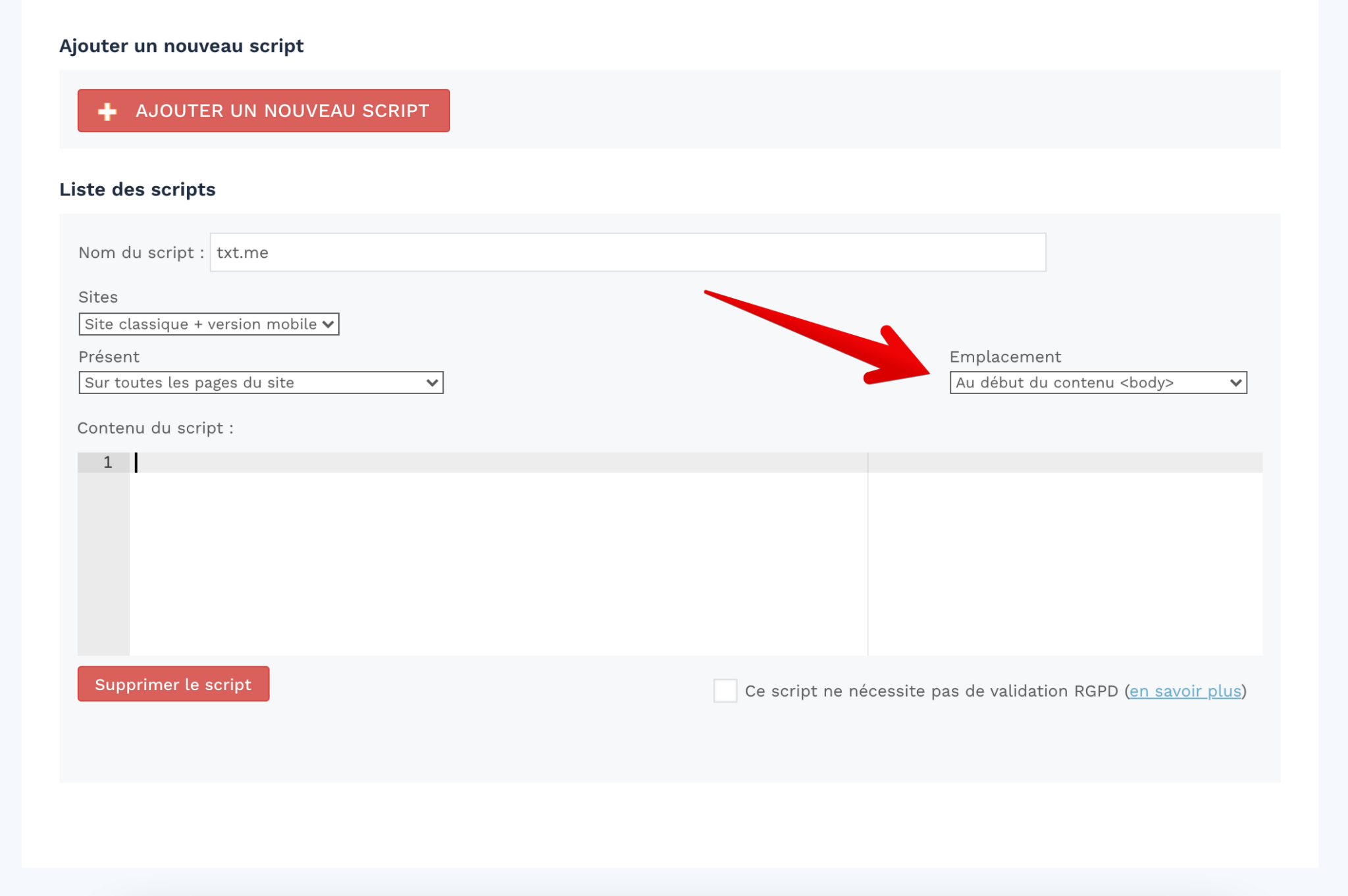
Step 5: Click on the “Enregistrer le script”
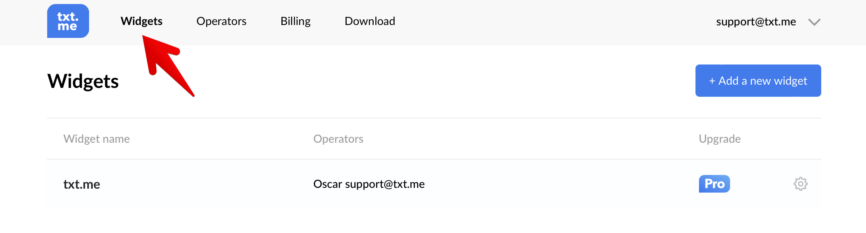
How to find HTM code for live chat widget txt.me
Check out the step by step guide on how to find HTML code for installing live chat widget txt.me on your website.
Step 6: Start live chat in WiziShop
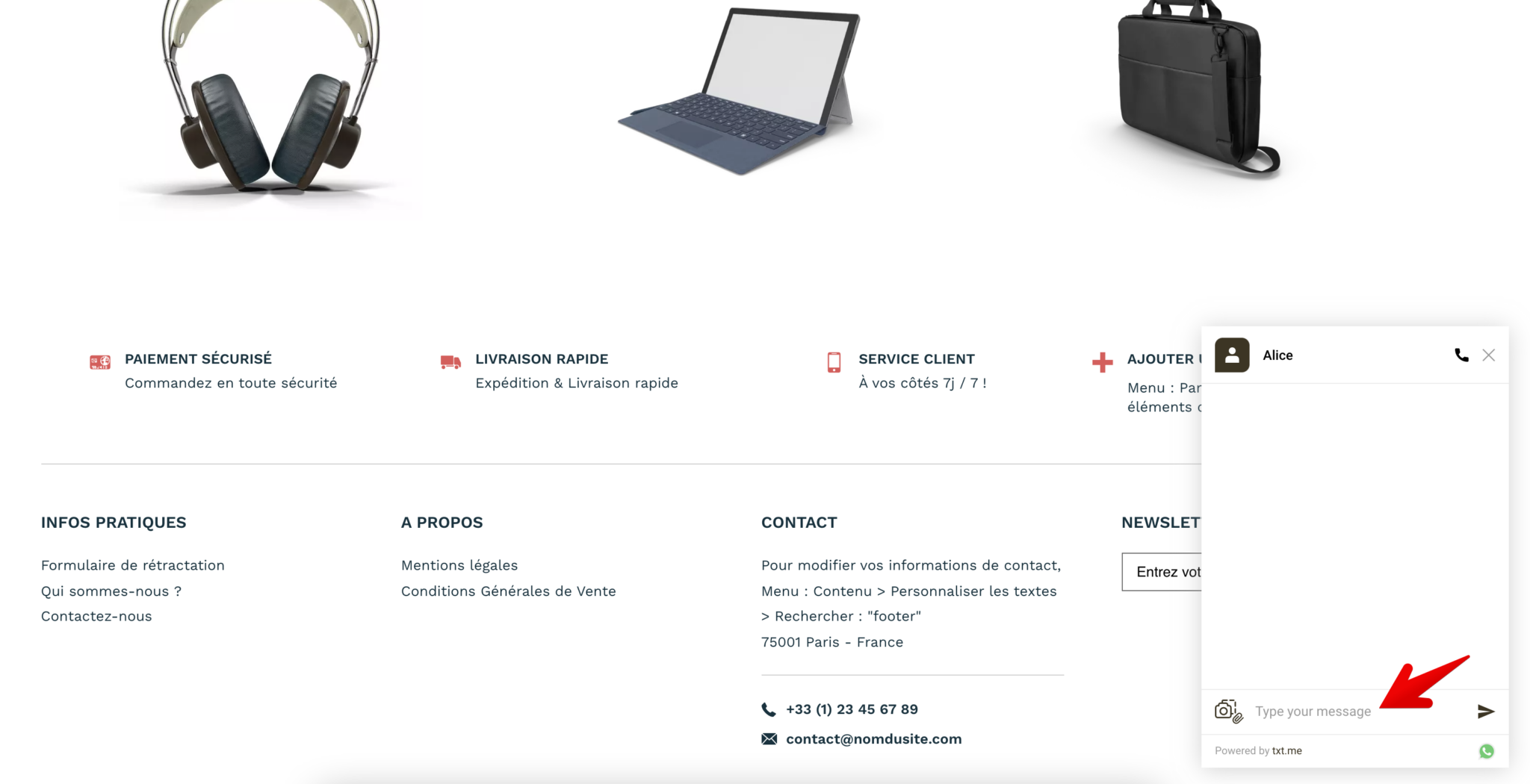
live chat txt.me is now visible on your website or online store. Sign in to txt.me to start chatting with your visitors. Set up visibility and design of chat box in Appearance.
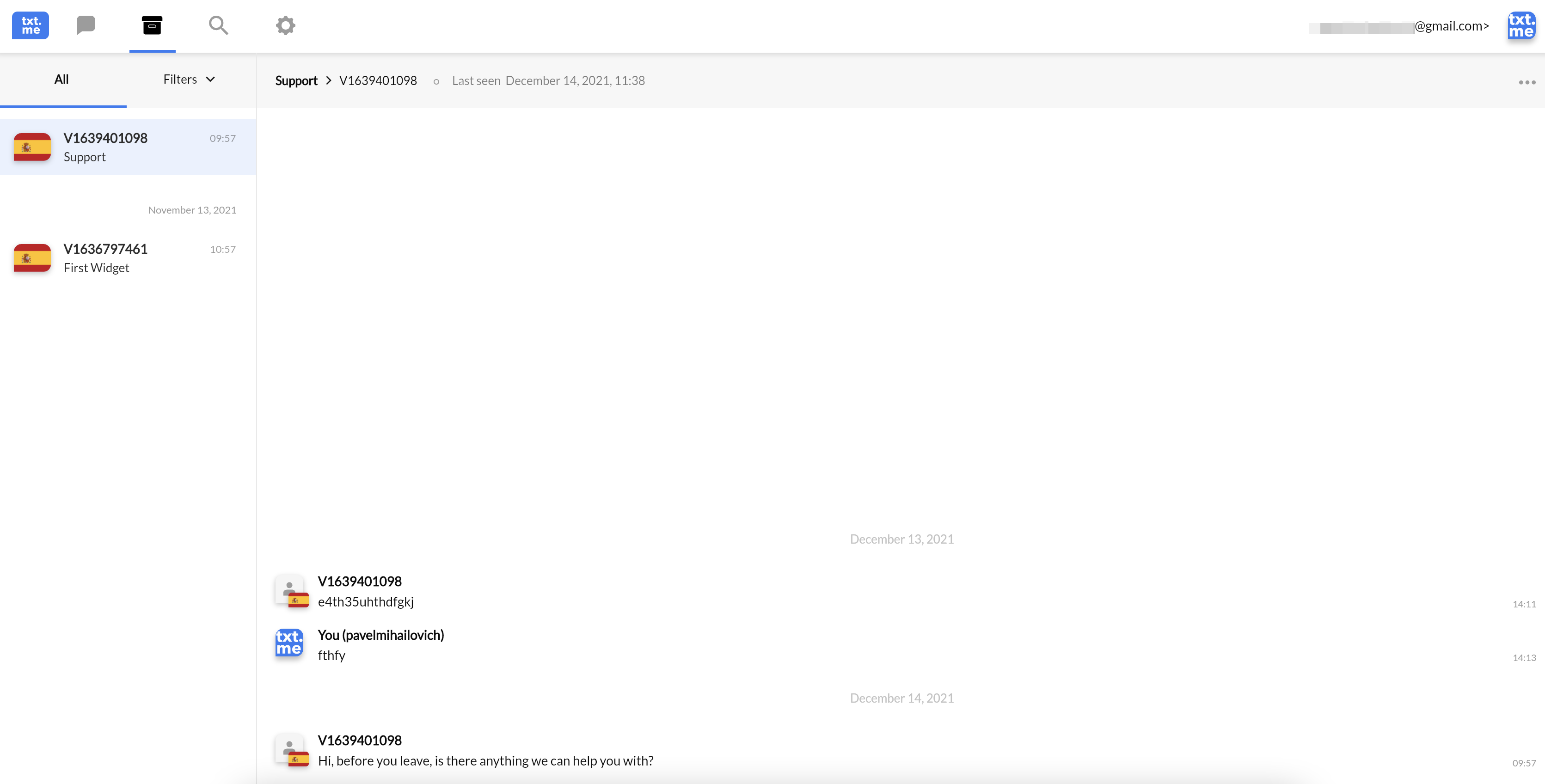
Open the txt.me dashboard to check if the live chat is working for your customers. Ask one of your customer support team to send a message from the chatbox. Then, make sure that you receive it on your Web Version txt.me.
Now txt.me is added to your WiziShop, and you can start providing your customers with excellent support. Hopefully, you have found this article helpful, but if you have any additional questions, feel free to start a chat with us – we are available 24/7/365!