How to Add or Change an Agent Profile Picture
If an agent’s photo is missing or needs to be changed, you can update it in your txt.me dashboard. This guide shows you how to find the agent’s settings and upload an agent profile picture for the chat widget.
To add the chat widget to your website, sign up with txt.me. If you already have an account, follow these simple steps:
Step 1: Head over to your txt.me dashboard and open the widgets page
Then you will need to go to the tab “Operators”.

Step 2: Select the desired live chat operator and click on it

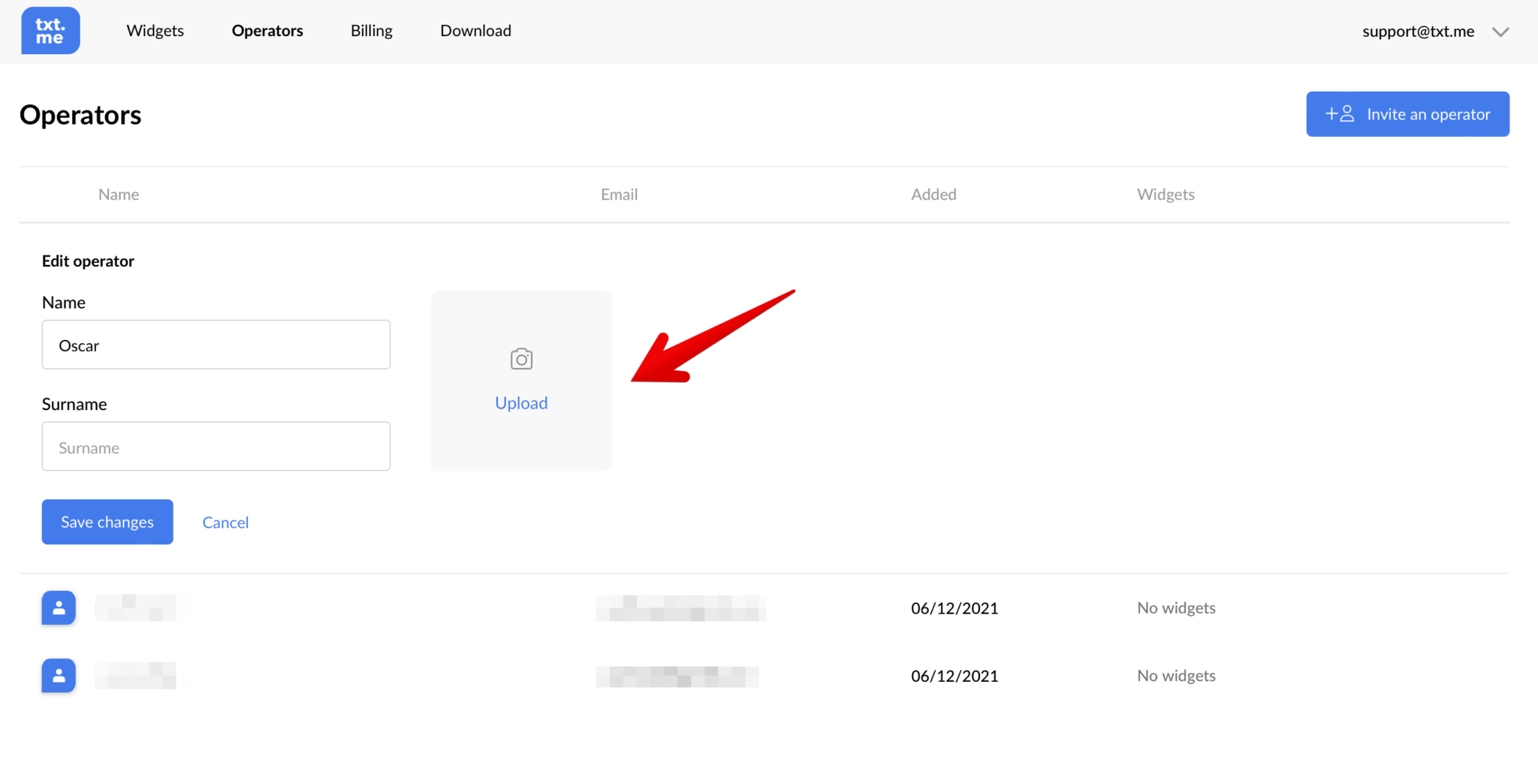
Step 3: Upload an agent profile picture
In this tab by clicking on “upload” you can upload a photo of the agent or change it to a new one.