Live Chat Help Center
Find live chat help for every step, from pasting the chat code on your site to setting triggers, connecting WhatsApp and email, and downloading invoices. Every article is written by the team that builds txt.me.
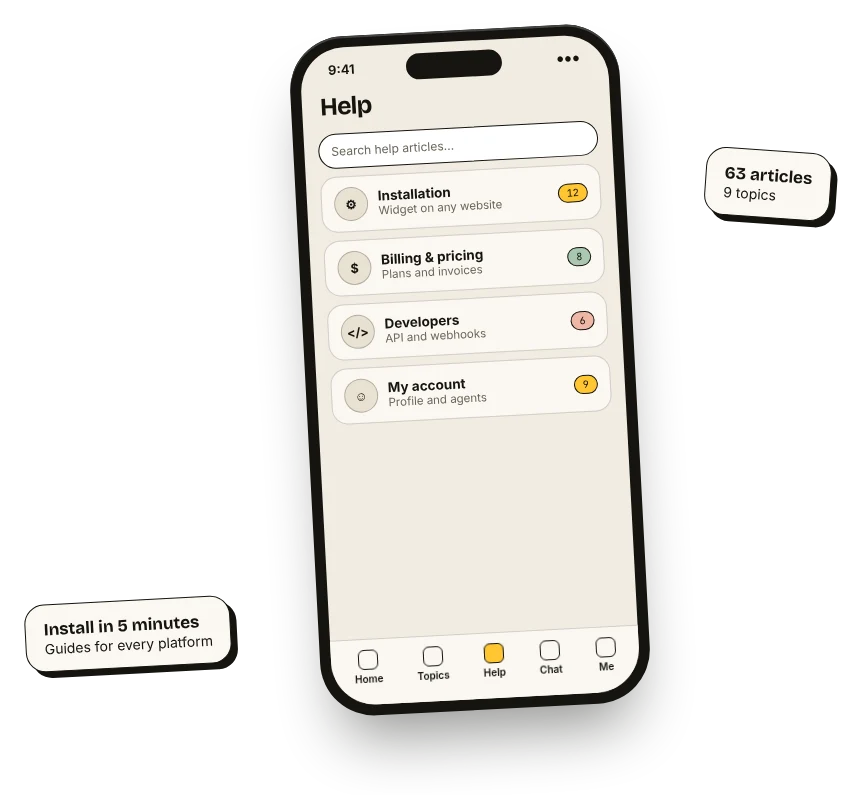
Browse live chat help by topic
How to
Practical guides on how to add live chat to your website and get it working on day one, from copying the chat code to setting triggers and connecting email.
35 articlesInstallation
You can add live chat to your website in about five minutes.
25 articlesCustomization
A chat box for your website should look like it belongs there.
6 articlesSettings
Your live chat settings decide when the widget speaks first, which language it uses, who gets notified and what happens after hours.
12 articlesIntegrations
Live chat integrations bring your other channels and tools into the same inbox, so a customer who starts on chat and replies by email stays in one thread.
8 articlesDevelopers
The live chat API lets your site pass visitor data to the widget, open it from your own button and switch its language.
5 articlesBilling and pricing
Questions about live chat software pricing and billing usually come down to three things: what you pay per agent, where your invoices are, and how to cancel.
2 articlesMy account
Help for your live chat account: notifications, invoices, cancelling a plan and using your own domain.
3 articlesPractical tips
Practical live chat tips for the people who answer the chats: what to write, when to write first, how long a reply should be and how to calm an angry customer.
16 articlesLive chat help for your first day
If you've just signed up, three articles will get you most of the way: add the chat code to your website, customize the chat widget, and set up chat triggers so the widget greets visitors at the right moment. After that, connect your shared inbox so email replies land in the same place as chats.
Popular articles
- Customize Your Chat Widget for Website VisitorsLearn how to customize your chat widget for website visitors, including the full chat window, compact widget, automatic messages, and lead collection.
- How to Set Up and Manage Chat TriggersLearn how chat triggers work, compare welcome messages, welcome forms, and advanced triggers, and set conditions to engage website visitors proactively.
- How to Use a Custom Domain for Live ChatLearn how to set up a custom domain for txt.me live chat by adding a CNAME record, then contact support to activate your domain for operator access.
- How to Set Up WhatsApp Website IntegrationLearn how to add a WhatsApp chat button to your website with txt.me, configure the widget, and check that your WhatsApp website integration is set up.
- Connect a Shared Inbox to txt.me for Customer SupportLearn how to connect a shared inbox to txt.me with IMAP and SMTP, route email and live chat into one conversation, and customize outgoing email settings.
- How to Add Chat to WordPress with txt.meLearn how to add chat to WordPress by installing and activating the txt.me plugin, then follow the setup steps to add live chat to your WordPress website.
- How to Add Shopify Live Chat to Your StoreLearn how to add Shopify live chat to your Shopify store by copying your txt.me chat code into theme.liquid, then test the chat widget on your site.
- How to Add Wix live chat to a Wix WebsiteLearn how to add Wix live chat to your Wix site using the site editor. Follow the steps to add an HTML embed and paste your txt.me chat widget code.
- How to Install Live Chat HTML Code on Your WebsiteLearn how to add live chat HTML code to your website, choose your CMS instructions, and find the txt.me widget code in your dashboard for installation.
- How to cancel subscription for a txt.me widgetLearn how to cancel subscription for a txt.me widget in a few steps, confirm the right widget, and keep Pro features until the paid period expires.
Frequently asked questions
How long does it take to add live chat to my website?
Can I get live chat help from a person?
Is txt.me free?
Put an AI agent and a real person on your website chat
Start free with one agent and unlimited chats. Add the AI agent, WhatsApp, email and Human Backup operators when you need them.